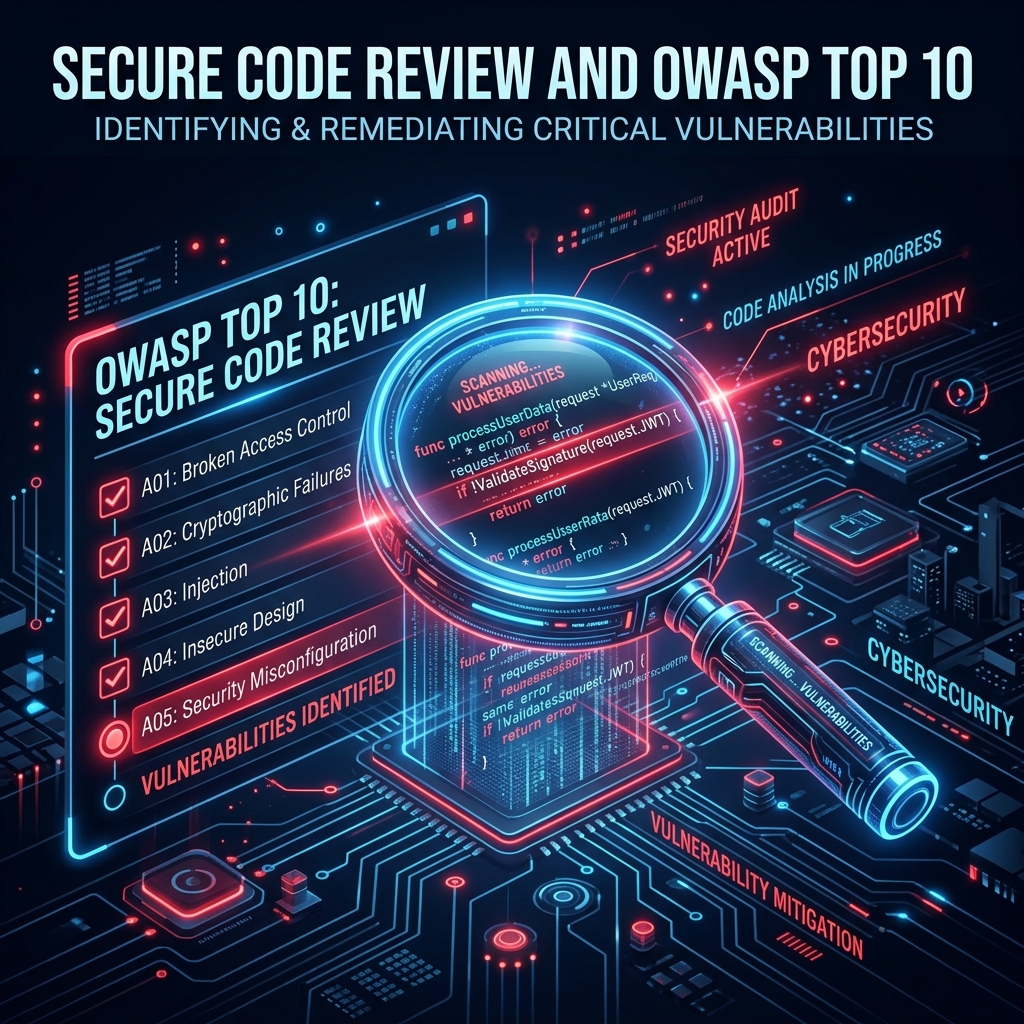
The Ultimate Guide to Secure Code Review: Catching Vulnerabilities Before Production
Dive deep into Secure Code Review with our comprehensive 20-minute guide. Learn how to spot common developer mistakes, mitigate OWASP Top 10 vulnerabilities with real code examples, and download our complete audit checklist.
In the rapid-fire world of modern software development, shipping features fast often overshadows shipping them securely. However, the cost of remediating a security flaw post-production can be up to 100 times higher than catching it during the development phase. This is where a rigorous Secure Code Review becomes the ultimate lifeline for engineering teams.
A standard code review focuses on syntax, performance, and architecture. A Secure Code Review, on the other hand, is uniquely designed to aggressively interrogate the source code for logic flaws, injection points, and authorization bypasses before the code ever touches a live server. By conducting a thorough source code analysis, organizations can fundamentally shift left, catching catastrophic bugs while they are still just lines of text in a Pull Request.
In this comprehensive, deep-dive guide, we will break down exactly how to perform a secure code review, explore real-world examples of common developer mistakes, map these to the OWASP Top 10, and provide you with a downloadable audit checklist to empower your next release.
Download Our Secure Coding Checklist
We have compiled a comprehensive, ready-to-use Excel (.xlsx) checklist aligned with industry standards such as the OWASP Top 10, covering all critical verification points for your development pipeline.
Download Excel Checklist1 Common Vulnerabilities: Code Review Examples
The best way to understand secure coding practices is by examining the exact mistakes developers make every day. Let's look at four highly critical scenarios, the flawed code, and how to improve it during your application security testing phase.
Example 1: The Classic SQL Injection (SQLi)
SQL Injection continues to plague modern web applications because developers mistakenly trust user input. When user-supplied data is concatenated directly into a database query, an attacker can arbitrarily alter the SQL syntax.
❌ The Mistake (Bad Code):
// Node.js Express Example
app.get('/user', (req, res) => {
    const username = req.query.username;
    // VULNERABLE: Direct string concatenation
    const query = "SELECT * FROM users WHERE username = '" + username + "'";
    db.query(query, (error, results) => { ... });
});
If a user submits admin' OR '1'='1, the query evaluation bypasses authentication completely.
✅ The Fix (Secure Code):
// Node.js Express Example
app.get('/user', (req, res) => {
    const username = req.query.username;
    // SECURE: Use parameterized queries
    const query = "SELECT * FROM users WHERE username = ?";
    db.query(query, [username], (error, results) => { ... });
});
Parameterized statements ensure the database treats input strictly as data, never as executable code.
Example 2: Cross-Site Scripting (XSS)
Reflected XSS occurs when an application immediately returns unsanitized user input in a web browser. It is the primary vector for session hijacking and malicious redirects.
❌ The Mistake (Bad Code):
// React Frontend Example
function SearchResults({ query }) {
    // VULNERABLE: Dangerously setting inner HTML
    return (
        <div dangerouslySetInnerHTML={{ __html: `Results for: ${query}` }} />
    );
}
✅ The Fix (Secure Code):
// React Frontend Example
function SearchResults({ query }) {
    // SECURE: React escapes variables by default natively
    return (
        <div>Results for: {query}</div>
    );
}
Rely on native framework auto-escaping. Never use dangerouslySetInnerHTML unless the input has been passed through a rigorous sanitizer like DOMPurify.
Example 3: Hardcoded Sensitive Data
Embedding API keys, database credentials, or cryptographic tokens directly into the source code is a critical error. Once the code is pushed to a repository, those secrets are compromised permanently.
❌ The Mistake (Bad Code):
// Payment Gateway Integration
function processPayment(amount, token) {
    // VULNERABLE: Hardcoded API Key
    const STRIPE_API_KEY = "sk_live_51H8X...z7pB0";
    const stripe = require('stripe')(STRIPE_API_KEY);
    return stripe.charges.create({ amount, source: token });
}
✅ The Fix (Secure Code):
// Payment Gateway Integration
function processPayment(amount, token) {
    // SECURE: Inject secrets via environment variables
    const STRIPE_API_KEY = process.env.STRIPE_SECRET_KEY;
    if (!STRIPE_API_KEY) throw new Error("Missing configuration");
    const stripe = require('stripe')(STRIPE_API_KEY);
    return stripe.charges.create({ amount, source: token });
}
Example 4: Insecure Direct Object Reference (IDOR)
IDOR happens when a developer exposes a reference to an internal implementation object (like a database ID) but fails to verify if the currently logged-in user actually owns that object.
❌ The Mistake (Bad Code):
// Express Route
app.post('/api/delete-invoice', (req, res) => {
    const invoiceId = req.body.id;
    // VULNERABLE: No ownership validation!
    db.query("DELETE FROM invoices WHERE id = ?", [invoiceId]);
    res.send("Invoice deleted");
});
Any authenticated user can simply iterate invoice IDs (e.g., 101, 102, 103) and delete data belonging to other organizations.
✅ The Fix (Secure Code):
// Express Route
app.post('/api/delete-invoice', (req, res) => {
    const invoiceId = req.body.id;
    const currentUserId = req.session.userId;
    // SECURE: Validate ownership before modifying
    db.query("DELETE FROM invoices WHERE id = ? AND owner_id = ?",
        [invoiceId, currentUserId], (err, result) => {
        if(result.affectedRows === 0) return res.status(403).send("Unauthorized");
        res.send("Invoice deleted");
    });
});
Example 5: Server-Side Request Forgery (SSRF)
SSRF occurs when an application fetches a remote URL supplied by the user without validating it. This allows an attacker to force the server to make requests to internal, firewalled systems (such as AWS metadata servers or internal administration panels).
❌ The Mistake (Bad Code):
// Express Webhook Fetcher
app.post('/fetch-image', async (req, res) => {
    const imageUrl = req.body.url;
    // VULNERABLE: Blindly fetching any URL
    const response = await axios.get(imageUrl);
    res.send(response.data);
});
An attacker can pass http://169.254.169.254/latest/meta-data/ to scrape AWS infrastructure credentials.
✅ The Fix (Secure Code):
// Express Webhook Fetcher
app.post('/fetch-image', async (req, res) => {
    const imageUrl = new URL(req.body.url);
    const ALLOWED_DOMAIN = "images.yourdomain.com";

    // SECURE: Strict Whitelisting
    if (imageUrl.hostname !== ALLOWED_DOMAIN) {
        return res.status(403).send("Domain not allowed");
    }
    const response = await axios.get(imageUrl.href);
    res.send(response.data);
});
Example 6: XML External Entity (XXE) Injection
XXE arises when an application parses XML input but allows the XML parser to evaluate external entity references. This can lead to local file disclosures (like reading /etc/passwd) and server denial-of-service.
❌ The Mistake (Bad Code):
// Java DOM Parser
DocumentBuilderFactory factory = DocumentBuilderFactory.newInstance();
// VULNERABLE: Default parser allows external entities
DocumentBuilder builder = factory.newDocumentBuilder();
Document doc = builder.parse(new InputSource(new StringReader(xmlData)));
✅ The Fix (Secure Code):
// Java DOM Parser
DocumentBuilderFactory factory = DocumentBuilderFactory.newInstance();
// SECURE: Completely disable DTDs and external entities
factory.setFeature("http://apache.org/xml/features/disallow-doctype-decl", true);
factory.setFeature("http://xml.org/sax/features/external-general-entities", false);
factory.setFeature("http://xml.org/sax/features/external-parameter-entities", false);

DocumentBuilder builder = factory.newDocumentBuilder();
Document doc = builder.parse(new InputSource(new StringReader(xmlData)));
2 Integrating the OWASP Top 10 Checklist
The Open Web Application Security Project (OWASP) Top 10 requires no introduction in the AppSec community. It represents a broad consensus on the most critical security risks facing web applications today. A proficient software security audit continuously loops back to these core concepts.
Here is an intensive breakdown of how to audit against the modern OWASP Top 10 framework during your source code analysis:
A01: Broken Access Control
Access control enforces policy such that users cannot act outside of their intended permissions. This is currently the most severe web application vulnerability.
- Check that administrative endpoints are decorated with proper authorization middleware.
- Ensure default deny is the default policy stance across all API routes.
- Verify CORS configurations do not wildly permit
Access-Control-Allow-Origin: *on authenticated routes.
A02: Cryptographic Failures
Previously known as Sensitive Data Exposure, this focuses on failures related to cryptography which often lead to sensitive data exposure or system compromise.
- Identify hardcoded secrets (API keys, passwords, tokens) using automated SAST scanners.
- Verify that passwords are hashed using strong adaptive algorithms like
Argon2,bcrypt, orscrypt, never MD5 or SHA1. - Ensure TLS 1.2 or 1.3 is enforced globally for data in transit.
A03: Injection
Injection flaws occur when untrusted data is sent to an interpreter as part of a command or query. The interpreter is tricked into executing unintended commands.
- Enforce the use of parameterized queries natively or via an ORM/ODM library globally.
- Review OS command executions. Applications should rarely invoke
exec()directly. Validate any necessary shell execution rigorously.
A04: Insecure Design
A new category focusing on risks related to design flaws. Shift-left requires more threat modeling before coding even begins.
- Validate that sensitive workflows (like password resets) require re-authentication.
- Ensure error messages are generic. Telling a user "Account not found" during login allows for username enumeration. Use "Invalid credentials" consistently.
A05: Security Misconfiguration
The most commonly seen issue. It results from insecure default settings, open cloud storage, and misconfigured HTTP headers.
- Check for the implementation of security headers:
Content-Security-Policy,X-Frame-Options, andStrict-Transport-Security. - Ensure that verbose error tracing is explicitly disabled in production environments to prevent exposing internal infrastructure details.
A06: Vulnerable and Outdated Components
Relying on components with known vulnerabilities is the primary cause of automated massive-scale breaches.
- Are developers running
npm audit,pip-audit, or Dependabot constantly? Review the dependency manifests for severely outdated libraries. - Maintain a strict Software Bill of Materials (SBOM) for all production releases.
A07: Identification and Authentication Failures
Focuses on weaknesses that allow attackers to assume the identities of other users by compromising passwords, keys, or session tokens.
- Ensure Multi-Factor Authentication (MFA) is implemented logically.
- Verify Session IDs are highly randomized, regenerated post-login, and flagged with
SecureandHttpOnlycookies.
A08: Software and Data Integrity Failures
Related to code and infrastructure that does not protect against integrity violations, such as software updates, critical data, and CI/CD pipelines.
- Are serialized objects verified? Deserialization of untrusted data leads to Remote Code Execution (RCE).
- Is the CI/CD pipeline isolated and require multi-signature approvals for production deployments?
A09: Security Logging and Monitoring Failures
Without logging, breaches cannot be detected or investigated. Attackers rely on the lack of monitoring to extract data without triggering an alarm.
- Ensure all login failures, access control modifications, and high-value transactions generate distinct logs.
- Ensure those logs are appended to a central location (SIEM) that the application itself cannot overwrite or delete.
A10: Server-Side Request Forgery (SSRF)
Occurs whenever a web application fetches a remote resource without validating the user-supplied URL.
- Never trust a URL provided by a user (e.g., webhook integrations or image fetching). Validate it against a strict whitelist of allowed domains.
- Configure firewalls so the backend application cannot blindly fetch internal metadata addresses (like
169.254.169.254in AWS/Cloud environments).
3 CI/CD Automation: Shifting Left at Scale
Manual code review is brilliant for catching deeply nested logical flaws, but it is slow and unable to scale with dozens of daily releases. To achieve true DevSecOps maturity, secure code review must be automated and fully integrated directly into your Continuous Integration and Continuous Deployment (CI/CD) pipelines.
The Ideal Automated Security Pipeline
An optimized CI/CD workflow shouldn't rely on a single massive check before deployment. The pipeline must consist of overlapping layers of security gates:
-
1. Pre-Commit Interceptors (Secret Scanning): Tools like TruffleHog or git-secrets are configured logically as local git hooks. Before a developer can even commit, the code is scanned for hardcoded AWS keys, database passwords, and API tokens, rejecting the commit instantly if secrets are found.
-
2. Pull Request Analysis (SAST Integration): When a PR is opened, Static Application Security Testing (SAST) tools (like SonarQube, Checkmarx, or GitHub's native CodeQL) trigger automatically. These scanners evaluate the raw syntax for known vulnerability patterns and block merging if Critical/High vulnerabilities are detected.
-
3. Software Composition Analysis (SCA): Validates your
package.jsonorpom.xmlagainst global CVE databases to strictly ensure no third-party libraries have known unpatched vulnerabilities before shipping (combating OWASP A06). -
4. Dynamic Application Security Testing (DAST): Once the code is deployed to a staging environment, automated DAST tools like OWASP ZAP interact with the running web app, fuzzing input fields and testing the resilience of HTTP headers and session tokens.
4 Building Fearless Products with Adayptus
Checking boxes on a spreadsheet is only the beginning. True software resilience requires contextual analysis of complex business logic that automated SAST scanners routinely miss. Modern threat actors do not look for obvious syntax errors; they look for convoluted design flaws that grant unauthorized access. That's where expert intervention changes the trajectory of a product launch.
Adayptus Secure Code Review Services
At Adayptus, our Application Security testing practice acts as a seamless extension of your engineering team. We scrutinize source code, configure bespoke SAST rules, and perform deep manual logic reviews to ensure your product isn't just compliant—it's fundamentally impenetrable. We help you identify vulnerabilities in code early, protecting your user data and preserving your brand reputation.
References:
Adayptus AppSec Team
Strategic Intelligence Division
Adayptus Consulting is a premier provider of enterprise cybersecurity solutions, specializing in Managed SOC, Penetration Testing, and GRC strategy. Our intelligence division regularly publishes research to help CISOs navigate the evolving threat landscape.