DASA: Security Testing for Desktop Applications
The Desktop Application Security Assessment covers software that runs on a machine you do not control. What that involves, who needs it, how the requirement set is organised, and what the laboratory does.
App Defense Alliance
The Desktop Application Security Assessment covers software that runs on a machine you do not control. Here is what that involves, who needs it, and what the laboratory does.
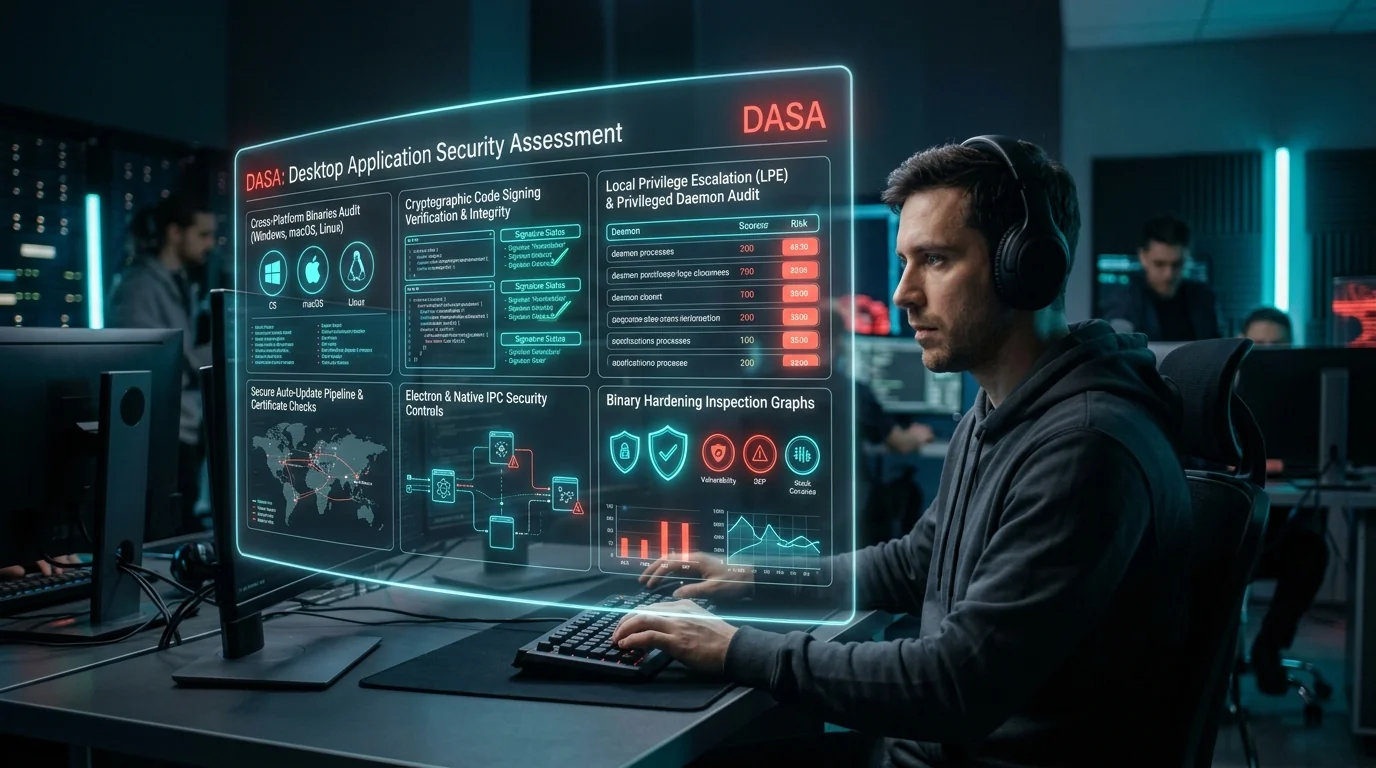
In short. DASA is the App Defense Alliance programme for desktop applications: software installed and run on somebody else's machine. Backend server infrastructure is explicitly out of scope and is directed to the ADA Cloud Profile instead, which is a distinction worth getting right before you scope anything — see which ADA assessment your product needs. It was introduced later than MASA and CASA, at release v2.2.0, and its requirement set is published in the same repository as the others.
What is this?
The App Defense Alliance, usually shortened to ADA, is an industry group that sets security standards for apps. It began at Google in 2019 and moved to the Linux Foundation in 2024, so it is no longer run by any single company. Google, Meta and Microsoft sit on its steering committee.
DASA stands for Desktop Application Security Assessment. It covers software installed and run on a user's own computer, rather than in a browser or on a phone.
The specification is explicit about what falls in scope, and the list is broader than most teams expect:
- Native applications. Written in C and C++, .NET, Swift, Rust or Go.
- Electron and CEF-based applications. Desktop apps built on an embedded browser engine, which are extremely common and carry both desktop and web-style risks.
- Applications communicating with backend APIs. The client side of a client-server product.
- Installers and updaters. Explicitly named. This is the part teams most often leave out of scope and it is frequently where the most serious findings are.
It applies across Windows, macOS and Linux.
An independent laboratory works through the requirements against your software and records a verdict on each. The structure is the same as the other ADA programmes. What differs is the threat model, and that difference is the whole reason DASA exists separately.
ADA does not test apps itself. It publishes the requirements, then authorises independent laboratories to do the testing. A lab has to earn that authorisation, and part of earning it is holding accreditation to ISO/IEC 17025, the international standard for testing laboratories. What that accreditation actually demands, and how to read a laboratory's scope, is worth knowing before you engage one. The point of the arrangement is that the people judging your app have no commercial interest in the answer.
How the requirement set is organised
DASA is structured as a common baseline that applies everywhere, plus annexes for platform-specific requirements. The baseline is compact, which makes it a realistic self-assessment target.
| Baseline category | Roughly |
|---|---|
| Communications security | 3 requirements |
| Data protection | 4 requirements |
| Authentication and privilege management | 3 requirements |
| Input validation | 4 requirements |
| Component and dependency management | 2 requirements |
| Secure installation and updates | 3 requirements |
| Inter-process communication | 2 requirements |
| Logging and error handling | 2 requirements |
| Access control and multi-user isolation | 1 requirement |
| User interface security and privacy | 2 requirements |
That is roughly twenty-six common baseline requirements, with further platform-specific requirements in the Windows, macOS and Linux annexes. Requirement identifiers are hierarchical: section, then subsection, then requirement.
Checked against the release notes. The v2.2.0 release describes DASA as 41 requirements in total: a common baseline of 26 checks across 10 domains, plus the Windows, macOS and Linux annexes. It also states the profile ships AL0, AL1 and AL2 procedures, which answers the general caveat below for this profile specifically. Worth knowing too: only DASA was new in v2.2.0, so the CASA, MASA and Cloud specifications remain stamped v2.1.1 even though the repository tag reads v2.2.0. Always read the stamp on the specification you are working from, not the repository tag.
DASA maps onto standards you may already follow, which usually means less new work than it first appears: the AFINE Desktop Application Security Verification Standard, the NIAP Protection Profile for Application Software, the OWASP Desktop App Security Top 10, and OWASP ASVS.
Why desktop software is a different problem
This is worth understanding properly, because it explains why the requirements are not just the web ones renamed.
- The attacker may own the machine. With a web app you control the server. With desktop software, the user, or an attacker who has compromised the user, has full control of the environment your code runs in. You cannot assume the operating system is honest, and you cannot keep a secret in your own binary.
- Local privilege matters. Desktop applications often install services that run with high privileges. A flaw there does not just affect your app, it can hand over the whole machine to a low-privileged user.
- Updates are your responsibility. A web app is patched when you deploy. Desktop software is patched when the user updates, which makes your update mechanism security-critical. A compromised updater is a route into every customer you have, which is why this gets so much attention.
- Files are an attack surface. Desktop software opens documents, projects and configuration files. Anything parsing a file format is a place where malformed input can cause memory corruption.
- Code signing is visible. Users and operating systems check signatures. Weak signing practice is both a security problem and a usability one, because unsigned software gets blocked or warned about.
The specification puts the threat model in a single sentence worth keeping in mind while you self-assess. It observes that desktop applications execute in an environment where the application binary itself is directly accessible to attackers, where shared libraries can be subverted, and where inter-process communication channels may be exploited.
In short. The practical consequence: you cannot keep a secret inside your own binary. Anything shipped in the application should be treated as readable by a determined user, which rules out embedded keys, licence secrets and hardcoded credentials as a security measure.
Who is required to complete it
This question gets muddled because there are three different answers and people run them together. Nobody is required by law. Some organisations are required by a platform or a contract, which in practice is just as binding. Everyone else chooses.
| Who you are | Is it required? | Why |
|---|---|---|
| A vendor selling software to be installed across a corporate estate | Effectively required | Enterprise IT is rightly cautious about what runs with privilege on their machines. Independent testing is often a purchase condition. |
| A vendor whose desktop client is deployed across an enterprise fleet | Effectively required | Your customers run it on machines they manage and carry the consequences. They will ask. |
| Software with an auto-update mechanism reaching many machines | Strongly advisable | Your updater is a software distribution channel. If it can be abused, the blast radius is your entire customer base. |
| Software installing a privileged background service | Strongly advisable | This is where the genuinely dangerous findings live, and they are hard to spot from the inside. |
| A consumer desktop app with no privileged component | Optional | Lower risk. Judge it on the findings and on whether your buyers care. |
| Software distributed only inside your own organisation | Usually not needed | Outside the programme's intent. Ordinary security testing is the better spend. |
The distinction that matters in practice: if a platform or a customer has made the assessment a condition of something you need, treat it as a hard requirement with a date attached. If nobody has asked, it is an investment decision, and you should judge it on whether the findings and the report are worth the cost to you.
The checklist is public, and free
This is the most useful thing to know before you spend any money, and most developers do not know it. The App Defense Alliance publishes its requirement sets openly on GitHub. You can read the exact bar you will be measured against, work through it yourself, and fix what fails before engaging anybody.
| What | Where |
|---|---|
| Repository | github.com/appdefensealliance/ASA-WG |
| This profile's folder | /DASA |
| Version history and releases | github.com/appdefensealliance/ASA-WG/releases |
| Licence | Creative Commons Attribution-ShareAlike 4.0 |
The profile folder holds two documents. The DASA Specification is the requirement list: an identifier and a one-line description, and deliberately nothing more. The DASA Test Guide is the one you actually want, because for each requirement it gives the description, the rationale, the evidence you must submit, the test procedure, the acceptance criteria and any scope limitations. The submission artefacts that go with the profile — developer onboarding questionnaires for AL0/AL1 and AL2, and the laboratory report templates — live separately under the repository's submission forms and templates area rather than in the profile folder.
The key point. Read the Test Guide, not just the Specification. The Specification tells you a requirement exists. The Test Guide tells you what evidence will be accepted, which is what determines whether your self-assessment succeeds. Working through the checklists yourself covers how to read a requirement entry field by field, and what evidence a reviewer accepts.
Assurance levels: how much of the work is yours
How much you do, versus how much a laboratory does, depends on the assurance level. This is the single biggest driver of what an assessment costs you, so establish it early.
| Level | Name | Who tests | Who checks |
|---|---|---|---|
| AL0 | Self assessment | You. Described as being for low risk products. | Nobody independent |
| AL1 | Verified self assessment, or developer tested and lab reviewed | You run the test cases and submit evidence. | An independent assessor confirms your evidence is complete and sufficient |
| AL2 | Lab assessment | The laboratory tests your product directly. | The laboratory, with its own independent internal review |
AL1 is the level most developers meet, and it is worth being precise about what it asks. You are not signing a statement that you comply. You are running the test procedure and producing evidence that demonstrates it, and a reviewer then judges whether that evidence is sufficient. Thin or ambiguous evidence gets sent back, and every round trip costs you time.
Confirm this. One point to confirm rather than assume: the repository README describes three levels including AL0, while some profile specifications present only AL1 and AL2. That may mean AL0 is not offered for every profile. For DASA specifically the v2.2.0 release notes state the profile ships AL0, AL1 and AL2 procedures, so all three apply here. Check which levels apply to any other profile before you plan, because it determines whether you need a laboratory at all.
What gets tested
| Area | The question being asked |
|---|---|
| Installation and privileges | Does the installer or service run with more privilege than it needs, and can a local user abuse it to gain administrator access? |
| Update mechanism | Are updates signed and verified before installation? Could an attacker on the network serve a malicious update? |
| Code signing | Is the application properly signed, and are the signing keys protected? |
| Local data storage | Are credentials and tokens stored using the operating system's protected stores, or written in plain text? |
| Input and file parsing | Can a malformed file or network message crash the application or execute code? |
| Network communication | Is traffic encrypted and are certificates properly validated? |
| Inter-process communication | Do local interfaces, named pipes or sockets check who is calling them? |
| Memory safety | For software in languages without automatic memory management, are the usual classes of memory bug present? |
| Dependencies | Are bundled third-party libraries current, and is there any way to update them? |
| Configuration defaults | Is the software secure as installed, or only after the customer hardens it? |
What the laboratory actually does
Most developers have never seen inside a laboratory engagement, and the phrase independent assessment hides a lot of specific process. Here is what actually happens, and why each part is there. Knowing this makes you a much better buyer. For the whole engagement phase by phase, including the acceptance checks and the independent review, see what the laboratory actually does.
Before the lab is allowed to accept the job
An authorised lab cannot simply take your money and start. Before it accepts, it has to satisfy itself of several things, and record that it did:
- Competence. It has people qualified for your assessment type. ADA specifies which certifications the engagement team must hold, and a lapsed certification does not count.
- Capacity and tooling. It has the qualified tools and the test environment your software needs, and the time to do the work properly.
- No conflict of interest. This one matters to you. A lab that has previously assessed or advised on your application, or that helped you build it, is barred from validating it. If a firm offers to fix your app and then certify it, that is not an arrangement an authorised lab can make.
- An independent reviewer. It has someone available who took no part in the testing and who will check the work. If no independent reviewer is available, the lab should decline the engagement, because it would not be able to release your report.
- Agreed scope. Which software, which build, which requirements apply, what is excluded and why, all written down before testing begins.
Who is on the engagement
| Role | What they do |
|---|---|
| Engagement Partner | Accepts the engagement and is accountable for how it is run. Usually your main point of contact. Signs the report. |
| Engagement Team Lead | Runs the testing day to day and makes sure findings are recorded properly as they are found. |
| Security Assessors | Do the actual testing and record the evidence. Work only within the assessment types they are individually authorised for. |
| Quality Control Reviewer | Independent. Took no part in the testing. Re-examines the evidence behind every verdict and can refuse to let the report out. |
In short. The reviewer is the part clients least expect and the part that does the most work protecting them. They are not a proofreader. They re-examine the evidence and can overrule the testing team's conclusion in either direction. Nobody in the lab's sales function can overrule them, and their pay cannot depend on your verdict. If you only ask a prospective lab one question about its process, ask who your reviewer will be and how they are independent of the testing team.
How the lab handles your software
The lab needs installable builds for every platform in scope, plus any licence keys required to exercise the software fully. Because desktop products are usually several things at once, an installer, an application, a background service and an updater, the lab records and hashes each component it received rather than treating the product as one artefact.
- A hash is recorded on receipt. The lab takes a cryptographic fingerprint of exactly what it received, so there is never an argument later about which version was tested.
- A clean environment is built for you alone. Your engagement gets its own test environment, isolated from other clients' work, and it is destroyed when the engagement closes.
- Tools are checked before use. The lab confirms each tool is at the version it has qualified and produces the expected result on a known input. A tool that fails that check is not used.
- Your data stays separated. One client's data must not be reachable from another client's engagement. This is a requirement, not a courtesy.
How evidence works, and why you should care
This is the real difference between a laboratory assessment and a consultant's report. For every requirement, the assessor has to record evidence good enough that a different competent assessor could repeat the work and reach the same conclusion. Not a summary, and not a conclusion. The actual input, the action taken and the observed result, captured at the time it happened.
Two consequences follow, and both are in your favour:
- A lab cannot fail you on a hunch. If the evidence does not demonstrate that a requirement is unmet, the assessor cannot record a Fail. Findings have to be shown, not asserted.
- A lab cannot pass you on your word. If you tell the assessor a control works and they do not verify it, that is recorded as your statement, not as a validated Pass, and the report has to disclose which requirements were self-attested rather than validated. This protects you too: it means nobody can later claim the lab checked something it did not.
How the verdict is reached
Each requirement in scope gets one of three verdicts. There is no partial credit and no overall score that hides the detail.
| Verdict | What it means |
|---|---|
| Pass | The evidence obtained demonstrates the requirement is met for the version tested. |
| Fail | The evidence obtained demonstrates the requirement is not met. |
| Inconclusive | The requirement was examined but could not be determined. The report has to say why, and what would be needed to determine it. |
Watch the Inconclusive count on your report. Inconclusive is the easy place to park a difficult judgement, and a well-run lab monitors its own rate for exactly that reason. If a large share of your requirements came back Inconclusive, ask why: usually it means the scoping was wrong or something the lab needed was never provided. It is worth knowing when a laboratory is allowed to record Inconclusive, because it may not be used where the evidence would support a Fail.
The independent review
Before anything is released, the reviewer works through the engagement and checks, among other things:
- that the build tested is the build received, by reference to the recorded hash;
- that the approved environment and qualified tools were actually used;
- that every verdict is supported by contemporaneous evidence;
- that no Inconclusive verdict is standing in for a Fail the evidence would support;
- that requirements you self-attested, and requirements excluded from scope, are disclosed;
- that remediation guidance is specific to your application rather than generic advice;
- that nobody who was barred or recused took part.
If any of that fails, the reviewer sends it back or withholds the report. That review is itself a record, kept whether or not it changed anything, because a review that found nothing is evidence the control was operating.
What the report has to contain
A DASA report is not a free-form document. Certain elements are mandatory, and the reason each one is there is worth understanding:
| Element | Why it is required |
|---|---|
| A unique report identifier | So the report can be referenced precisely and cannot be confused with another. It also lets you prove which report a customer is looking at. |
| The laboratory's name and address | So you and anyone you show the report to know exactly who stands behind the conclusions. |
| Your name and contact details | Identifies who the report was issued to. It also underpins the rule that nobody else may rely on it. |
| The software identity: each component received, its version, a cryptographic hash of each, and the platforms and operating system versions tested | So there is no possible doubt about what was tested. This is the element that protects you if someone later claims the wrong version was assessed. |
| The requirement set and its version | The bar you were measured against. Without the version, a conformity statement means very little, because requirement sets get revised. |
| Dates of receipt, testing and issue | The report describes a moment in time. These dates are what make that explicit rather than implied. |
| Where the work was performed, including any virtual environment | Assessment work is often done in an environment built for the engagement. Recording it means the conditions are reproducible. |
| A Pass, Fail or Inconclusive verdict against every requirement | The actual result, at the level of detail that lets you act on it. An overall score would hide exactly the information you need. |
| Requirements you self-attested that the lab did not validate | So nobody, including a future customer or auditor, can believe the lab verified something it did not. This protects you as much as it protects the lab. |
| Requirements not evaluated, with the reason | Exclusions have to be visible. A report that quietly omits the requirements you were going to fail is worthless to a reader and dishonest. |
| Remediation guidance for each failed requirement, specific to your application | Generic advice is not sufficient under the programme rules. You are entitled to guidance that names the component and the change. |
| A statement of conformity with the programme requirements | A statement about how the assessment itself was conducted. It is separate from the verdict on your application. |
| The attempt history: initial assessment and every retest, with dates and outcomes | So the report shows the whole story rather than only the final attempt. A reader can see that you failed, fixed and passed, which is a perfectly respectable history. |
| The name of the person who authorised the report | Somebody has to be accountable for the verdict. This is who. |
| The laboratory's limitations and disclaimers | What the report does not say. In particular that results apply only to the version tested, that the assessment was not an exhaustive hunt for every vulnerability, and that a Pass is not a guarantee of security. |
What happens to the records afterwards
The lab keeps the whole record set, not just the report: the evidence, the verdicts, the environment configuration, the review record, every version of the report and every retest. Retention is typically at least two years after the certificate expires. That exists so that if a question arises later about how a verdict was reached, the answer can actually be produced.
It also means a lab cannot quietly revise history. Every attempt at your assessment, including one that failed, is a retained record with its own report. If a lab suggests it can make a failed attempt disappear, that is a serious problem with that lab.
What you are entitled to ask for
- the scope agreement in writing before testing starts;
- the name of your Quality Control Reviewer and the basis on which they are independent of the testing team;
- the dispute process, in writing, before you need it;
- written confirmation that no part of the fee depends on the verdict;
- a clear statement of what will be published, what will be sent to ADA, and what consent you need to give;
- the lab's retention period for your data, and what is destroyed at the end of the engagement.
A lab that is reluctant to answer any of those in writing is telling you something useful.
Specific to DASA
- Testing on a machine the tester fully controls. This is the point of desktop testing. The assessor will do things your support team would consider abusive, because a real attacker with access to the machine would too.
- Deliberate privilege escalation attempts. The lab will try to use your privileged service to do something a low-privileged user should not be able to do. This is usually where the most serious findings come from.
- Update mechanism tampering. The lab will try to serve your updater a modified or unsigned package and see whether it installs it. If it does, that is a critical finding.
- Multiple operating systems. Each platform has its own privilege model, credential store and installer behaviour, so each one in scope adds real work.
How it works from your side, step by step
Step 1 — Get the DASA Test Guide and confirm the current version
Download it from the repository and note the release version. Then confirm which laboratories are authorised for DASA specifically, because authorisation for MASA or CASA does not extend to it.
Step 2 — Define what the product actually is
List every component: installer, background service, user-facing application, updater. Each may need testing, and teams routinely under-declare here. A server component is not part of this list, because it is not in DASA scope.
Step 3 — Review your privilege model yourself
Write down what runs as administrator or root and why. Most serious desktop findings are local privilege escalation, and most of those are visible from an honest look at your own design.
Step 4 — Check your update path
Confirm updates are signed, that signatures are verified before installation, and that the check cannot be skipped or downgraded.
Step 5 — Get your dependencies current
Bundled libraries in desktop software are frequently years old because nothing forces an update. Inventory them and update them.
Step 6 — Choose a lab authorised for DASA
Authorisation for MASA or CASA does not automatically extend to it. Ask directly, and see how to choose an ADA authorised laboratory for how to verify it.
Step 7 — Agree scope in writing
Which components, which operating systems and versions, which installer types, which requirements apply. Desktop scope is easy to get wrong because there are more moving parts.
Step 8 — Supply builds and licences
Installable builds for each platform in scope, plus licence keys.
Step 9 — The lab tests it
Two to four weeks, longer with several operating systems in scope.
Step 10 — Fix, retest, submit
Verdict per requirement, fix the failures, use the included retests, submit the result.
How often you have to do it again
Expect annual renewal, consistent with the other ADA programmes. This is the one figure we would still confirm with your laboratory rather than assume, because DASA is a more recent addition. Desktop software has an additional consideration: if you ship a major version with significant architectural change, that is worth reassessing regardless of where you are in the annual cycle, because the report describes the version tested and nothing else.
The mistakes we see most often
- Only testing the main application. The installer, the updater and the background service are usually where the serious findings are, and they are the parts teams forget to include in scope.
- A service running as administrator for convenience. Very common, and very often the finding that matters most.
- Unsigned or weakly verified updates. If your updater will install whatever it is given, you have built a distribution channel for malware.
- Ancient bundled libraries. Nothing forces desktop dependencies to update, so they rot quietly for years.
- Storing tokens in plain text. Operating systems provide protected credential stores. Use them.
- Assuming the local user is trusted. On a shared or managed machine, a low-privilege user is a realistic attacker.
Frequently Asked Questions
Click any question to expand the answer.
QIs DASA required?
Not by law. It becomes practically necessary when an enterprise customer makes independent testing a condition of purchase, which is common for software installed across a corporate estate.
QHow does it actually help us?
Enterprise buyers are cautious about installing software on their machines, and rightly so. An independent assessment against a recognised standard is one of the more effective ways to answer that. It also finds the privilege escalation and update flaws that are genuinely dangerous and easy to miss from the inside.
QDo we have to do it regularly?
Plan for annual renewal, and reassess after any major architectural change regardless of where you are in the cycle. Confirm the exact renewal period with your lab, since DASA is a more recent addition than MASA and CASA.
QWhat about our cloud back end?
That is CASA territory, and the cloud configuration profile covers the infrastructure. Many products need more than one assessment because the client and the service are separate attack surfaces.
QHow is this different from CASA?
Different threat model entirely. CASA tests software running on infrastructure you control, reached over a network. DASA tests software running on a machine you do not control, where the user or an attacker can inspect and modify everything. The requirements reflect that.
QWhat does the lab do that we could not?
Attack their own machine without caring what breaks. Your team tests that the software works. A lab tests what happens when a local user with no privileges deliberately abuses your privileged service. That is an uncomfortable exercise to run against your own product, which is exactly why an outsider does it better.
QWe ship on Windows, macOS and Linux. Is that three assessments?
Usually one assessment with several platforms in scope, but the effort scales with platform count because each has its own privilege model, installer behaviour and credential store. Agree the list during scoping and expect it to affect price.
QOur product is server software customers install themselves. Does DASA apply?
No. The DASA specification's scope table places backend server infrastructure out of scope and directs it to the ADA Cloud Profile. DASA covers native desktop applications, Electron and CEF desktop applications, and application installers and updaters. If your product has both a desktop client and a server component, the client is DASA and the server side is assessed separately.
QDo we need to hand over source code?
More likely than with web or mobile, particularly for memory safety requirements in languages like C and C++, where analysing source is far more effective than testing the binary. Discuss it during scoping.
QWhat if we use a third-party installer framework?
It is still in scope, because it runs with privilege on your customer's machine under your name. You are responsible for how it is configured even if you did not write it.
QWhat does it cost?
Generally more than a comparable web assessment, because of the multiple components and platforms. Get quotes from labs authorised for DASA and be precise about scope so the quotes are comparable.
QWho actually sees the result?
That depends on the programme. Some results appear as a badge or a note on an app store listing that your users can see. Others are shared with the platform that asked you to get assessed, and are not public. Ask the lab what will be published before you start, and get it in writing. A good lab will not publish anything about your app without your written consent.
QWhat if we disagree with a finding?
You can dispute it. An authorised lab has to have a documented dispute process, and the person who decides your dispute must not be the person who made the finding. If the verdict changes, the lab has to update the report with ADA. Ask to see the dispute process before you engage a lab.
QDoes a pass mean our app is secure?
No, and be careful of anyone who tells you it does. A pass means your app met the requirements that were tested, in the version that was tested, on the date it was tested. It is not a guarantee. It is a meaningful, independently checked baseline, which is a different and more honest thing.
QCan we use our own internal security team instead?
Not for the formal validation. The whole value of these programmes is that the tester is independent of the developer. Your internal team is exactly the right people to do the preparation work and the fixing, but the validation itself has to come from an authorised lab.
QCan the lab help us fix the problems it found?
It can tell you what to change, and it should: specific remediation guidance for each failed requirement is a programme requirement, not a favour. What it must not do is implement the fix for you, because then it would be validating its own work. Advice yes, hands on your codebase no.
Where to start
Download the DASA Test Guide from the repository and note the release version. Then do two things internally before you speak to anybody: write down everything in your product that runs with elevated privilege and justify each one, and verify that your update mechanism refuses unsigned packages. Those two exercises will tell you most of what you need to know about how a DASA assessment will go.
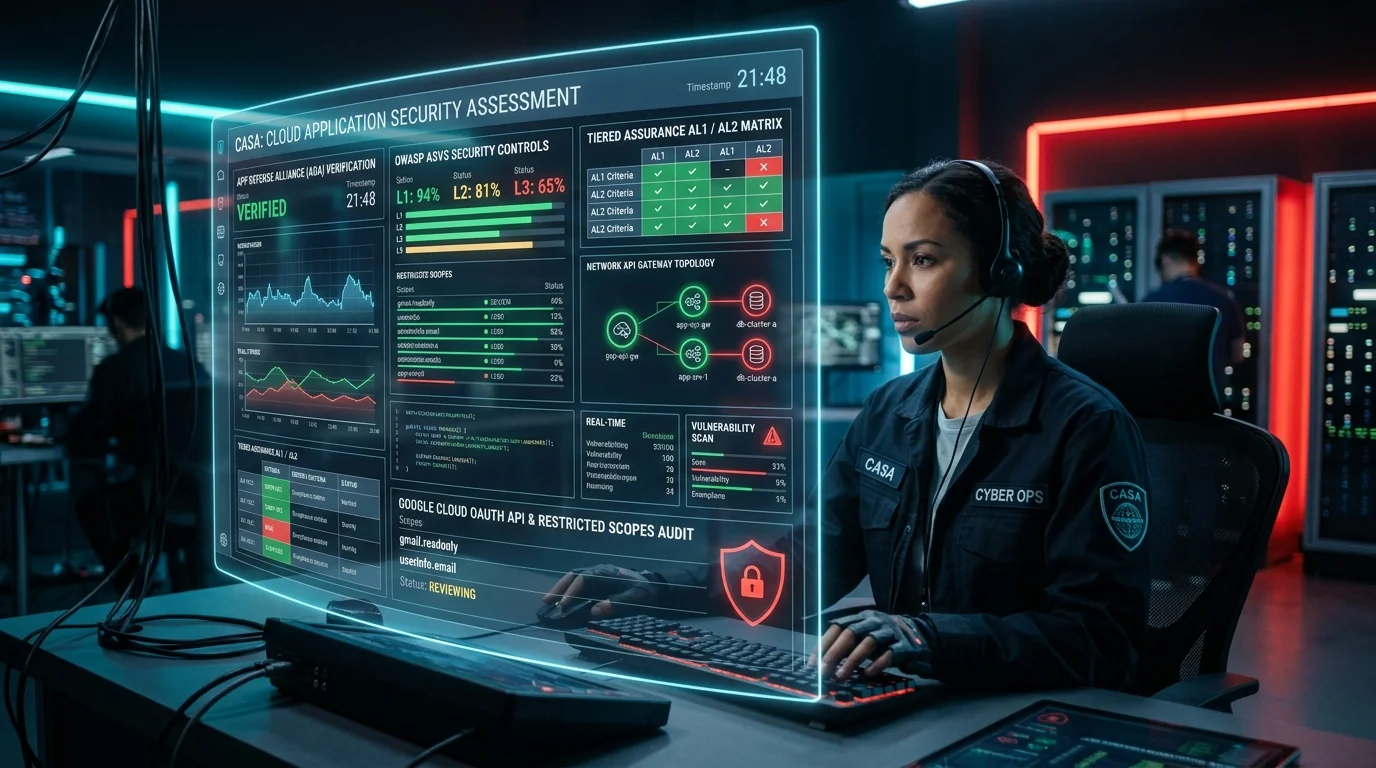
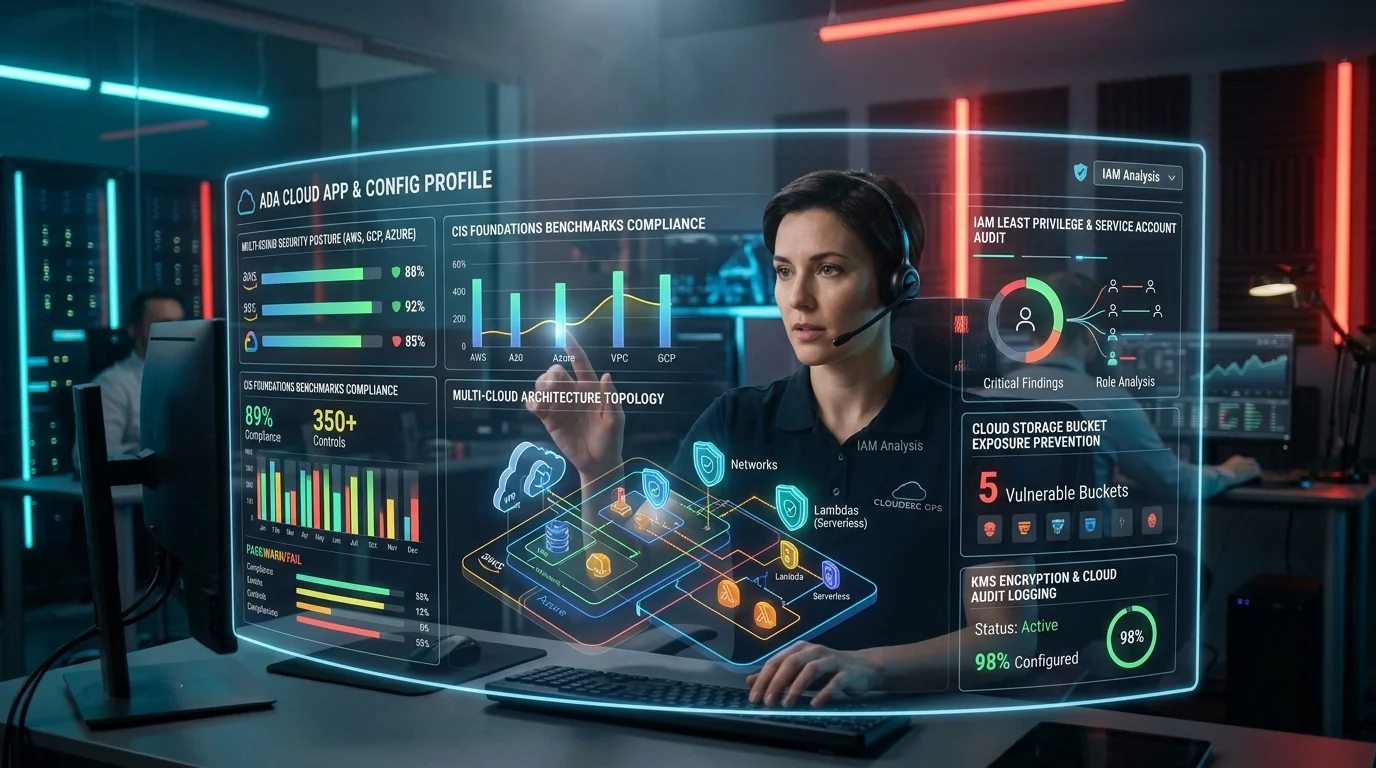
Desktop products with a cloud back end usually need more than one assessment. If yours talks to a web API, the companion piece on CASA covers that side, and the Cloud App and Config Profile covers the infrastructure it runs on.
About Adayptus
Adayptus Consulting Private Limited is an application security testing firm based in Noida, India. We have been doing web, mobile and cloud security testing since 2018.
We are currently building our laboratory management system to ISO/IEC 17025:2017 and working towards authorisation as an App Defense Alliance Security Test Laboratory. We are not an ADA-authorised laboratory today. We will say so plainly on this page until that changes, because you should be able to trust what a security firm tells you about itself.
What we can do for you right now:
- Readiness testing. We test your app against the DASA requirement set and tell you what would fail, before you pay for a formal validation. Finding out early is much cheaper than failing late. Where the requirements turn on memory safety or parsing, secure code review is usually the faster route to an answer than testing the binary.
- Fixing what we find. We give you guidance specific to your application, pointing at the actual component and the actual change needed, not a link to a general guideline.
- Evidence preparation. We help you assemble the documentation, architecture information and test accounts an authorised lab will ask for, so your validation does not stall on paperwork.
Because a desktop product is usually a client talking to a service, the back end is a separate attack surface: API penetration testing covers what your installed software talks to, and threat modeling is the cheapest way to find privilege problems before they are built.
Please note. One thing we will tell you up front: if we do your readiness work, we cannot later be the lab that performs your formal DASA validation. Our impartiality rules stop us from validating an application we have already advised on. We would rather you knew that at the beginning than after you had paid us. If your priority is the formal validation, we will point you at an authorised lab and stay out of the way.
Attribution and source
Requirement identifiers, domain names and profile names in this article are drawn from material published by the App Defense Alliance in the ASA-WG repository at github.com/appdefensealliance/ASA-WG, licensed under Creative Commons Attribution-ShareAlike 4.0 International. The explanations and remediation advice are our own.
Programme requirements are versioned and they change. Before you rely on any specific detail in this article, check the current published requirements in the App Defense Alliance repository and its releases page. Where this article describes how a process generally works, that shape is stable. Where it would matter to you whether a number or a version is exactly right, confirm it at the source. How to verify an ADA claim at the source walks through exactly how.
Adayptus Consulting
Application Security Testing, Adayptus
Adayptus Consulting Private Limited is an application security testing firm based in Noida, India, working across web, mobile and cloud security testing since 2018. The firm is building its laboratory management system to ISO/IEC 17025:2017 and working towards authorisation as an App Defense Alliance Security Test Laboratory; it is not an ADA-authorised laboratory today.
On This Page
- What is this?
- How the requirement set is organised
- Why desktop software is a different problem
- Who is required to complete it
- The checklist is public, and free
- Assurance levels: how much of the work is yours
- What gets tested
- What the laboratory actually does
- How it works from your side, step by step
- How often you have to do it again
- The mistakes we see most often
- Frequently Asked Questions
- Where to start
- About Adayptus
- Attribution and source