The Official ADA Checklists: Self-Assessment and Evidence
The checklists are public and free. Where they live, how to read a requirement entry field by field, how to run a self-assessment, ten worked examples with the evidence to submit, and the screenshot rules that decide whether your submission is accepted first time.
App Defense Alliance
Where the real checklists live, how to read a requirement, how to self-assess, and how to submit evidence that actually gets accepted.
In short. The checklists are public and free. They live in the App Defense Alliance's ASA-WG repository on GitHub under a Creative Commons licence. If you are paying anybody for a copy of an ADA checklist, stop. This article explains how a requirement is structured, how to work through one yourself, and how to produce evidence a reviewer will accept first time.
What is this?
The App Defense Alliance, usually shortened to ADA, is an industry group that sets security standards for apps. It began at Google in 2019 and moved to the Linux Foundation in 2024, so it is no longer run by any single company. Google, Meta and Microsoft sit on its steering committee.
ADA publishes its assessment requirements openly. That is unusual and genuinely useful: you can read the exact bar you will be measured against, work through it yourself, and fix what fails before anybody bills you. Most developers do not realise this and go into an assessment blind.
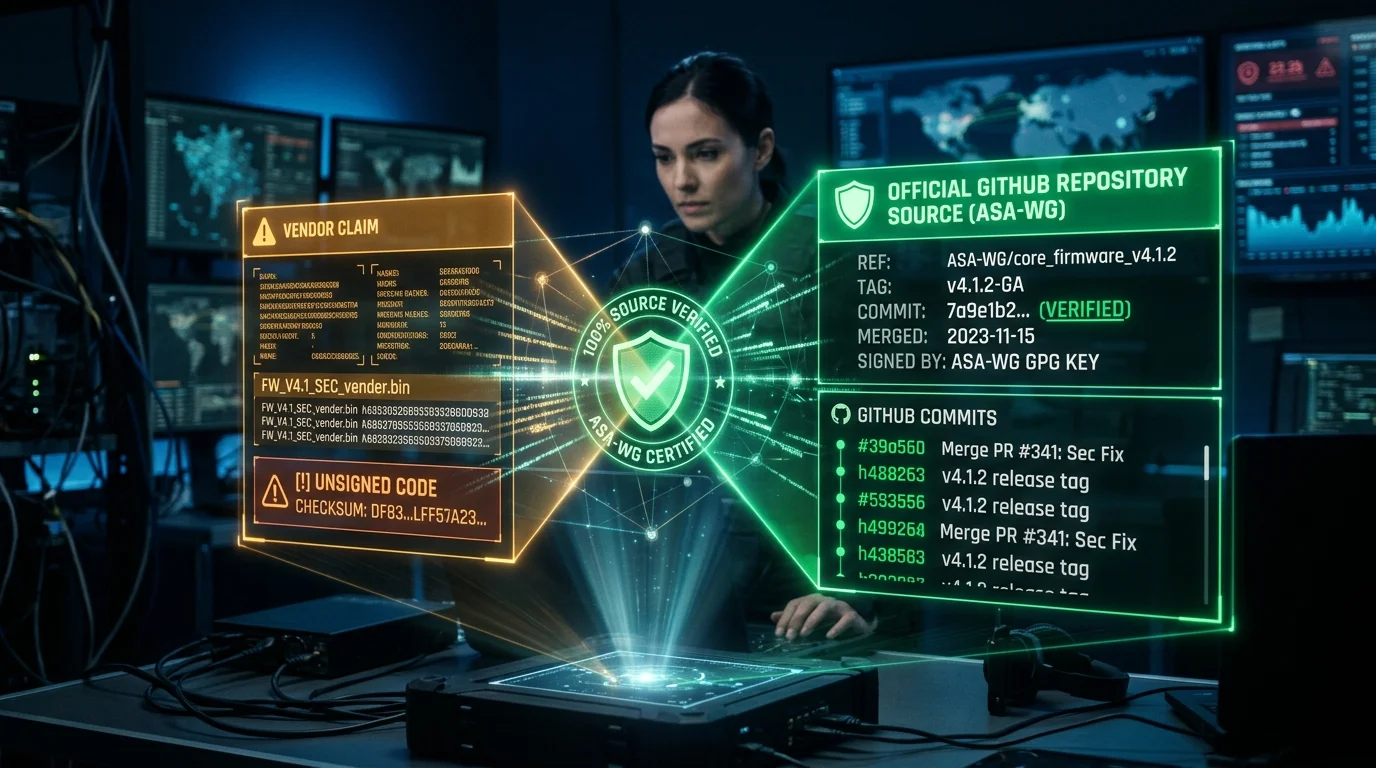
Everything is in one repository, at github.com/appdefensealliance/ASA-WG, with version history on its releases page, licensed under Creative Commons Attribution-ShareAlike 4.0 International. If you want the wider orientation first — what to check, the version trap, and what the licence means for a commercial site — see how to verify anything you read about ADA assessments.
Licence, briefly. Because the material is CC BY-SA 4.0, you may reproduce and adapt it, but attribution is required and the ShareAlike condition applies to adaptations. Copying requirement text into your own internal tracker is fine. Think before you paste large extracts into a commercial publication, because ShareAlike can reach the work you put it in.
Which profiles exist, and where each one lives
| Profile | Full name | Covers | Folder |
|---|---|---|---|
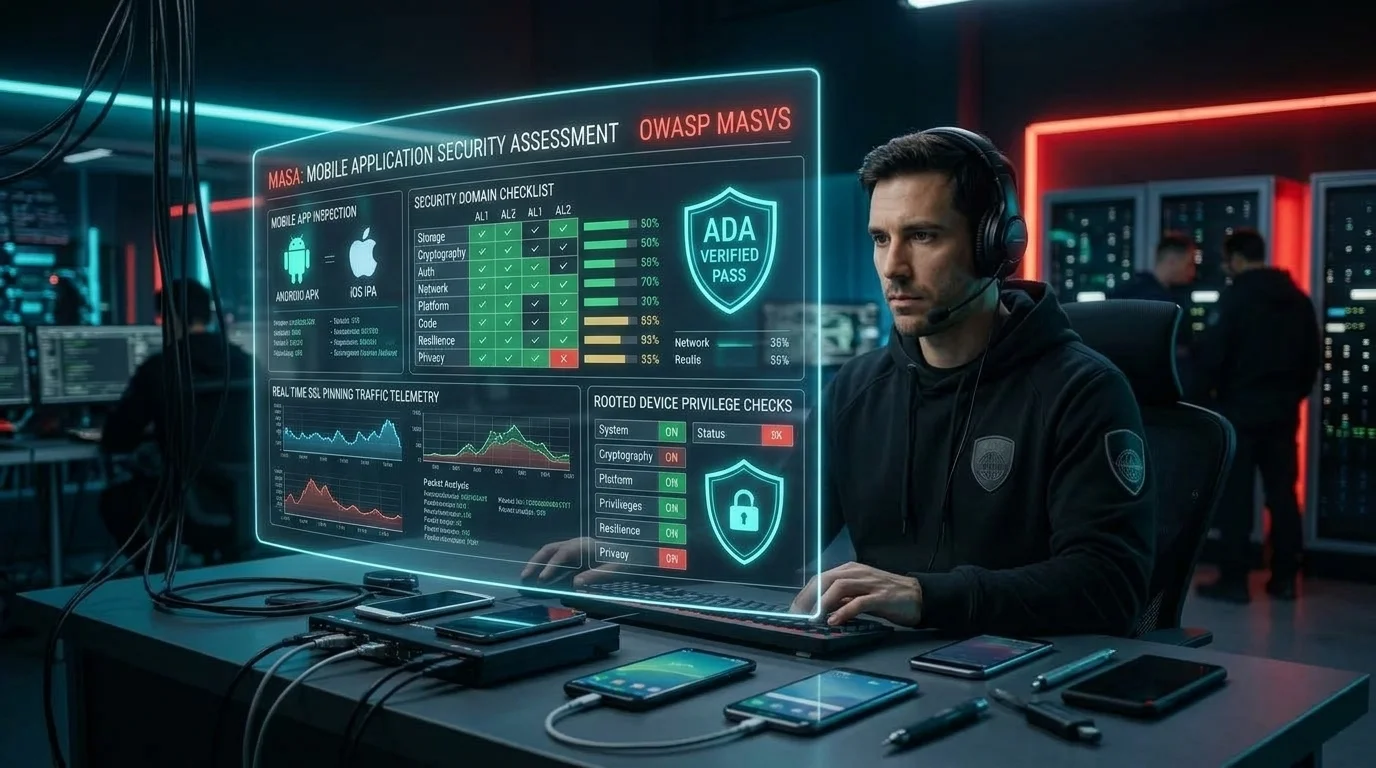
| MASA | Mobile Application Security Assessment | Android, Apple iOS and Meta Quest applications | /MASA |
| CASA | Cloud Application Security Assessment | Web applications and web-accessible APIs | /CASA |
| DASA | Desktop Application Security Assessment | Native desktop apps on Windows, macOS and Linux, plus installers and updaters | /DASA |
| Cloud | Cloud App and Config Profile | Configuration of AWS, Google Cloud Platform and Microsoft Azure | /Cloud App and Config Profile |
You will also find an AI Profile folder in the repository. At the time of writing that work is still developing, which is why we have not written a programme article about it: there is no settled requirement set to describe.
In short. Note the older names. What used to be the Mobile App Profile became MASA, and the Web App Profile became CASA, at release v2.0.0. Legacy folders still appear in the tree, so if you find an old document using the profile names, it is describing the same thing under a previous label.
The documents per profile, and the one you actually need
Developers routinely read the wrong document and conclude the requirements are unhelpfully terse.
| Document | What it contains | Who it is for |
|---|---|---|
| Specification | The requirement list. Two columns: an identifier and a one-line description of what is required. That is deliberately all. | Everyone, as the definitive list of what is in scope |
| Test Guide | For each requirement: what it covers, why it matters, what the assessor audits, what evidence to submit, the test procedure, and the acceptance criteria. | Developers. This is the document you want. |
Do not assume a standard document set. A profile folder carries a Specification and a Test Guide. Some folders carry additional material such as an audit summary used for recording outcomes, but that is not present for every profile, so open your own profile's folder and see what is actually in it rather than expecting a fixed three.
The key point. If you take one thing from this article: read the Test Guide, not just the Specification. The Specification tells you a requirement exists. The Test Guide tells you what evidence will be accepted, which is the part that determines whether your self-assessment succeeds.
Assurance levels: what self-assessment actually means
How much of the work you do, versus how much a laboratory does, depends on the assurance level.
| Level | Name | Who does the testing | Who checks it |
|---|---|---|---|
| AL0 | Self Assessment | You. The repository README describes this as for low risk products. | Nobody independent |
| AL1 | Verified Self Assessment, described in the README as developer tested and lab reviewed | You run the test cases and provide evidence and statements of compliance against each audit test case. | An independent assessor confirms your evidence is complete and sufficient |
| AL2 | Lab Assessment | The laboratory evaluates each audit test case directly against the application. | The laboratory, with its own independent internal review |
AL1 is the level most developers meet, and it is worth understanding precisely what it asks. You are not writing a statement that you comply. You are running the test procedure and producing evidence that demonstrates it, and a reviewer then judges whether your evidence is sufficient. Evidence that is thin, ambiguous or does not show what it claims gets sent back, and each round trip costs you time.
AL0 is not offered everywhere. The repository README describes three levels including AL0, but the MASA Specification presents only two, AL1 and AL2, and does not mention AL0 at all. So do not plan around AL0 because the README lists it. Open your own profile's specification and see which levels it actually presents, because that determines whether you need a laboratory at all.
The anatomy of a requirement
Once you can read one requirement properly you can read all of them, and this is the single most useful skill in the whole exercise. Each entry in a Test Guide carries these fields:
| Field | What it is for | How to use it |
|---|---|---|
| Description | What the control covers | Read first. Decide whether it applies to your product at all. |
| Rationale | Why the requirement exists | Read when you are tempted to argue. It usually explains the attack the requirement prevents. |
| Audit | What the assessor is checking for | Read it to understand what will actually be examined, which is narrower than the description sometimes suggests. |
| Evidence | What you must submit, frequently written per assurance level | This is the specification for your homework. Follow it literally, and check which level the wording applies to. |
| Test Procedure | The steps to verify compliance | Run it yourself before submitting. At AL1 the procedure for the reviewer is often simply to review your evidence. |
| Verification | The acceptance criteria | Check your evidence against this before you submit. If it would not satisfy the criteria, do not send it. |
| Additional Context | Scope limits and clarifications, present where a requirement needs them | Read it. This is where you find out a requirement does not apply to you. |
The Evidence field is the one developers skim and should not. It frequently tells you exactly what artefact to produce. The MASA Test Guide's evidence requirement for the keyboard cache control, for instance, asks you to provide, in its words, “an application resources file snippet showing that for every sensitive data field, the android:inputType property is set to one of the following values”, followed by the acceptable values. That is not a hint. That is a shopping list, and a submission that provides something else will come back.
What each programme's checklist looks like
MASA: mobile
| Platforms | Android, Apple iOS and Meta Quest |
| Identifier format | Four levels: platform, then domain, then control, then the specific test. So 1.1.1.1 is Android, storage, first control, first test. The leading digit tells you the platform. |
| Domains | Storage, crypto, auth, network, platform, code, resilience and privacy |
| Practical note | Because platform is the first digit, the Android and iOS requirement sets run in parallel. If you ship both, you have roughly twice the work, not the same work twice. Covered in full in the MASA article. |
CASA: web and APIs
| Covers | Web applications and web-accessible APIs |
| Domains | Input validation, authentication, cryptography, access control, error handling, security testing and configuration |
| Practical note | Access control is where the serious findings concentrate, and it is the domain automated tools are worst at. Budget manual effort there, whether that is your own or an API penetration test. Covered in full in the CASA article. |
DASA: desktop applications
| Covers | Native desktop applications in C and C++, .NET, Swift, Rust and Go; Electron and CEF-based applications; applications talking to back-end APIs; and installers and updaters |
| Structure | Ten common baseline categories covering roughly twenty-six requirements, plus platform-specific annexes for Windows, macOS and Linux |
| Domains | Communications security; data protection; authentication and privilege management; input validation; component and dependency management; secure installation and updates; inter-process communication; logging and error handling; access control and multi-user isolation; and user interface security and privacy |
| Maps to | The AFINE Desktop Application Security Verification Standard, the NIAP Protection Profile for Application Software, the OWASP Desktop App Security Top 10, and OWASP ASVS |
| Practical note | Installers and updaters are explicitly in scope. Teams routinely scope only the main application and then discover the updater carries the highest-severity findings. Covered in full in the DASA article. |
The DASA specification is unusually clear about why desktop software needs its own requirements: the binary itself is directly accessible to attackers, shared libraries can be subverted, and inter-process communication channels may be exploited. That is the whole threat model in one sentence, and it is worth keeping in mind while you self-assess. You cannot keep a secret inside your own binary.
Cloud App and Config
| Covers | Amazon Web Services, Google Cloud Platform and Microsoft Azure |
| Based on | Center for Internet Security benchmarks, including CIS AWS Foundations, CIS GCP Foundation and CIS Azure Foundations, with additional Azure compute and database service benchmarks |
| Domains | Compute; identity and access management; logging and monitoring; networking; storage; and database services |
| Practical note | This is the profile where automated tooling does the most work, because configuration is machine-readable. Run your cloud provider's own assessment tool and a CIS benchmark scan before anything else. Covered in full in the Cloud profile article. |
How to run a self-assessment
Step 1 — Get the current version, and write down which one
Go to the releases page and note the version you are working against, and the version stamped inside the document itself, because those are not always the same number. Requirement sets get revised, and a self-assessment against last year's version will not line up with this year's review.
Step 2 — Pick the right profile or profiles
A mobile app with a cloud back end needs MASA and CASA and the cloud profile. Match the profile to where the code runs, not to what your product is called. Which ADA assessment does your product need works that through case by case.
Step 3 — Confirm your assurance level
This determines whether you are producing evidence for a reviewer or preparing for hands-on laboratory testing, and it changes what you need to produce. Check your own profile's specification rather than the README.
Step 4 — Build a tracker with one row per requirement
Columns: requirement ID, applies to us yes or no, our verdict, evidence artefact reference, owner, status. A spreadsheet is completely adequate. Do not attempt this in a document.
Step 5 — Mark applicability first, before testing anything
Work through the whole list deciding what applies. Read Additional Context for each. Record a reason for every not-applicable, because you will be asked and because it forces honesty.
Step 6 — Run the test procedure for each applicable requirement
Actually run it. Do not reason about whether you probably comply. The gap between what a team believes its code does and what it does is where findings come from.
Step 7 — Record the verdict honestly, including Unsure
Pass, Fail or Unsure. Every Unsure is a likely Inconclusive on a real report, which is money spent for no answer, so treat Unsure as work still to do rather than as a result.
Step 8 — Collect evidence as you go, not afterwards
Capture the artefact at the moment you run the test. Evidence reconstructed a fortnight later is weaker, sometimes wrong, and always slower to produce.
Step 9 — Check each artefact against the Verification criteria
Before you file it. Ask whether a stranger could look at this artefact and conclude the requirement is met. If not, capture something better.
Step 10 — Fix the failures, then re-test and re-evidence
The evidence must reflect the fixed state, not the broken one. Recapture after fixing, from the build you are actually submitting.
Worked examples
This is the pattern you will apply to every requirement: what it is actually asking, how you satisfy it, what evidence to submit, and what to do if you find you are vulnerable. The requirement identifiers are from the published specifications; the guidance is ours.
MASA 1.1.1.1
Securely store sensitive data in external storage
- What it means
- Anything your Android app writes outside its private sandbox, to shared storage, Downloads or removable media, can be read by other apps or by anyone holding the device. The requirement is about where sensitive data ends up, not whether you meant to put it there.
- How you satisfy it
- Do not write sensitive data to external storage at all; use the app-private directory. Where you genuinely must use shared storage, encrypt the file with a key held in the Android Keystore, and use scoped storage rather than broad file permissions.
- Evidence to submit
- A code snippet showing which directory each write targets. Where encryption is used, the snippet showing the encrypted file wrapper and where the key comes from. A directory listing from a test device showing no sensitive artefacts in shared locations.
- If you are vulnerable
- Move the write to internal storage, or wrap it in authenticated encryption with a Keystore-backed key. Then deal with what already leaked: data written by previous versions is still on users' devices, so add cleanup on upgrade. Treat any credential written there as compromised and rotate it.
MASA 1.1.2.1
Disable the keyboard cache for sensitive inputs
- What it means
- Predictive keyboards learn what users type. If a sensitive field feeds the keyboard dictionary, that data can resurface as a suggestion in another app.
- How you satisfy it
- Set the input type on every sensitive field so suggestions are disabled. The Test Guide names the acceptable values explicitly, so use one of those rather than something you believe is equivalent.
- Evidence to submit
- The layout resource snippet for every sensitive field, showing the attribute set. Not one example field: every one.
- If you are vulnerable
- Add the attribute, then audit beyond the login screen, which is where teams stop. Search your layouts for every text input and classify each as sensitive or not. Fields for card numbers, one-time codes, recovery phrases, security answers and internal identifiers get missed most often.
MASA 1.1.2.2
No sensitive data in system logs
- What it means
- Logs are not private. They can be read by other processes in some conditions, they are captured by crash reporting tools, and users attach them to support tickets.
- How you satisfy it
- Never log credentials, tokens, personal data or full request bodies. Strip or disable verbose logging in release builds rather than relying on developers to remember.
- Evidence to submit
- The build configuration showing logging removed or guarded in release builds. A captured log from a release build during a sensitive operation such as login, showing nothing sensitive present.
- If you are vulnerable
- Remove the offending statements and add a build-level guard so it cannot recur. Add a lint or static analysis rule that fails the build on logging calls in sensitive code paths. Then check your crash reporter and analytics payloads, which is where this hides after the obvious logging is cleaned up.
MASA 1.2.1.1
No insecure random number generators
- What it means
- General-purpose random number generators are predictable. If you used one to generate a session token, a password reset code, an encryption IV or a salt, an attacker can often predict the values.
- How you satisfy it
- Use the platform's cryptographically secure generator for anything security-relevant. Reserve ordinary generators for things like animation jitter.
- Evidence to submit
- Code snippets showing the secure generator at each security-relevant call site, plus the output of a search across your codebase showing no insecure generator remains in those paths.
- If you are vulnerable
- Replace the generator, and understand that the fix alone is not enough. Every value already produced is potentially predictable, so invalidate them: expire existing sessions, void outstanding reset tokens, and re-key anything derived from a weak salt or IV. This is the requirement where teams most often fix the code and forget the data.
MASA 1.4.1.3
Verify endpoint identity on network connections
- What it means
- Your app must confirm it is talking to the server it thinks it is. In practice this requirement catches certificate validation that was weakened during development and never restored.
- How you satisfy it
- Use the platform default trust evaluation. Do not install a trust manager that accepts everything, do not disable hostname verification, and do not trust user-added certificate authorities in production. Certificate pinning is stronger still where you can operate it.
- Evidence to submit
- The network security configuration. Evidence that no permissive trust manager exists, such as search output across the codebase. A test showing the app refuses to connect through an intercepting proxy with an untrusted certificate.
- If you are vulnerable
- Remove the permissive code path. Check for the debug-only variant that was meant to be excluded from release builds and was not, because that is the common case. Then verify by trying to intercept your own traffic and confirming it fails.
CASA
Object-level access control
- What it means
- An endpoint must check that the caller is allowed to act on the specific object requested, not merely that the caller is logged in. If changing an identifier in a URL or request body returns somebody else's data, you have the most common serious web finding there is.
- How you satisfy it
- Enforce authorisation server-side, per request, as close to the data access as you can put it. Do not rely on the client not asking, and do not rely on identifiers being hard to guess.
- Evidence to submit
- The code performing the check, ideally at a shared layer rather than repeated per controller. A test transcript showing account A requesting account B's object and receiving a refusal, with both request and response visible.
- If you are vulnerable
- Fix it at the data access layer so the check cannot be forgotten on the next endpoint somebody adds. Then enumerate every endpoint that accepts an identifier and test each one, because this defect is almost never isolated. Finally, check your logs for whether it was exploited, and treat that as a potential breach notification question rather than only a bug.
DASA
Secure installation and updates
- What it means
- Your updater must verify that an update genuinely came from you before installing it. An updater that installs what it is given is a malware distribution channel pointed at your entire customer base.
- How you satisfy it
- Sign update packages and verify the signature before installation, not after download. Fetch over an authenticated channel. Refuse downgrades. Make sure verification cannot be skipped by a configuration flag or command-line argument.
- Evidence to submit
- The code performing signature verification and where it sits relative to installation. A test showing a tampered or unsigned package being rejected, with the rejection visible. Documentation of how signing keys are stored and who can use them.
- If you are vulnerable
- Treat this as the highest priority item on your list. Implement verification, then consider whether the existing update channel should be regarded as compromised, which depends on whether it was ever exposed. Also protect the signing key itself: verification is worthless if the key sits in your build repository.
DASA
Authentication and privilege management
- What it means
- A component must not run with more privilege than its job requires. A background service running as administrator that accepts input from any local user is a route from a low-privileged account to full control of the machine.
- How you satisfy it
- Run the main application as the ordinary user. Where a privileged operation is genuinely needed, isolate it in the smallest possible helper with a narrow, strictly validated interface, and validate every input crossing that boundary.
- Evidence to submit
- The service configuration showing which account each component runs as. A description of the privileged interface and its input validation. A test showing a low-privileged user cannot use the interface to do something they should not.
- If you are vulnerable
- Split the privileged component rather than adding checks to a broad interface, because narrowing the interface is more reliable than validating everything that could pass through a wide one. If splitting is not feasible immediately, validate every input at the boundary and document the residual risk honestly.
Cloud
Identity and access management
- What it means
- No user, role or service account should hold permissions far beyond what it uses. Broad permissions turn a single compromised credential into a full account compromise.
- How you satisfy it
- Grant narrow, scoped roles. Avoid wildcard administrative permissions on service accounts entirely. Remove credentials that have not been used. Prefer short-lived credentials over long-lived keys.
- Evidence to submit
- An export of the relevant policies showing the permissions actually granted. Output from a CIS benchmark tool or your cloud provider's own assessment tool. A list of credentials with last-used dates.
- If you are vulnerable
- Narrow the role, then rotate the credential, because a key that had excessive permissions should be treated as sensitive even without evidence of misuse. Add a periodic review, because permissions creep back. This is tedious work and it removes more real risk than almost anything else you will do.
Cloud
Storage exposure
- What it means
- No object storage bucket, disk snapshot or backup should be readable without authentication. This is the single most common cause of large accidental data exposure.
- How you satisfy it
- Block public access at the account or organisation level, not only per bucket, so a future mistake cannot re-expose anything. Then verify per resource.
- Evidence to submit
- The account-level public access setting. Per-bucket policy showing no public grant. Tool output confirming no publicly readable resource across the accounts in scope, including snapshots and backups, which get forgotten.
- If you are vulnerable
- Close it immediately, before finishing your self-assessment. Then work out what was exposed and for how long, using access logs if you have them. This is the one finding on this list most likely to be a notifiable data breach rather than a technical defect, so involve whoever handles that in your organisation straight away.
Evidence: what gets accepted and what comes back
At AL1 your evidence is the deliverable. A reviewer is judging whether it is complete and sufficient, so it is worth understanding what those words mean in practice. Good evidence has five properties:
- It shows, rather than asserts. A statement that a control is implemented is not evidence. A code snippet, a configuration export, or a test transcript is.
- It is attributable. A reviewer can tell what produced it: which file, which command, which environment, which version, which date.
- It is complete for the requirement. If a requirement concerns every sensitive field, evidence covering one field is incomplete and will come back.
- It is unambiguous. It shows the specific thing the requirement asks about, without the reviewer having to infer or take your word for the surrounding context.
- It matches the current state. Captured after you fixed the problem, not before, and from the build you are actually submitting.
Prefer text over pictures where you can
Code, configuration and command output should be submitted as text, not as a screenshot of text. Text can be searched, verified and quoted by the reviewer. A screenshot of a configuration file is strictly worse than the file, and a reviewer squinting at a low-resolution image of your manifest is a reviewer who will ask you for something better.
Screenshots are the right medium for things that are genuinely visual: a console setting, a permission dialogue, an interface behaviour, a tool's result view.
How to submit screenshots as evidence
This is where a lot of self-assessments lose time, and the rules are simple once somebody tells you what they are.
| Rule | Why | What failure looks like |
|---|---|---|
| Show the full window, including the address bar or shell prompt | The reviewer needs to know which account, environment, host and tool produced this. | A cropped panel showing a green tick, from an unknown account in an unknown environment. |
| Include the command you ran, not just its output | So the reviewer can see the check actually performed and could repeat it. | Terminal output with the command scrolled off the top. |
| Make it legible at full size | Native resolution, no phone photograph of a monitor, no downscaling. | An image where the reviewer cannot read the setting the requirement is about. |
| Show the version, build or resource identifier | Evidence has to tie to the thing being assessed. | A screenshot that could have come from any version of your product. |
| Include a visible date or timestamp where you can | It places the evidence in time relative to your submission. | Undated evidence for a control you changed last week. |
| One requirement per artefact, named by requirement ID | The reviewer works requirement by requirement. | A single document of forty unlabelled images, which is the most common way to make a review slow. |
| Redact secrets, but never the subject of the evidence | Reviewers do not need your keys. They do need to see the setting. | A screenshot with the relevant value blacked out along with the secrets. |
| Show the negative case where the requirement is about absence | Proving something is not there needs the search, not the silence. | A claim that no insecure call exists, with no search output to support it. |
On redaction. People get this wrong in both directions. Redact credentials, tokens, keys, personal data and customer identifiers. Do not redact the account name, the resource name, the setting, the version or the hostname, because those are what make the evidence mean anything. If redaction would remove the thing being evidenced, capture different evidence instead: use a test account, or a non-production resource that demonstrates the same configuration.
A naming convention that saves everybody time
Name every artefact with the requirement identifier first, then what it shows, then the platform. Keep one folder per profile and one file per requirement. A reviewer handed a structure like that can work through your submission in a fraction of the time, and time is what you are paying for.
When evidence is genuinely difficult
Some requirements are awkward to evidence: things that depend on server-side behaviour you cannot easily show, or on the absence of a condition. Three approaches, in order of preference:
- Demonstrate the behaviour. A test transcript showing the control working, with request and response, beats any amount of description.
- Show the mechanism. The code or configuration that enforces it, with enough surrounding context that a reviewer can see it is on the real path and not dead code.
- Explain, and say that you are explaining. Where neither of the above is possible, a clear written description is acceptable at some levels, but be aware it may be recorded as self-attested rather than validated, and that distinction appears in the report.
Tooling that helps
- For mobile. The OWASP Mobile Application Security Testing Guide provides test procedures that align with the requirement areas. Static analysis rules can find whole classes of finding across a codebase at once.
- For web and APIs. An authenticated dynamic scanner for the mechanical findings, dependency scanning for components, and manual effort concentrated on access control, which tools do badly.
- For cloud. Your provider's own security assessment tool and a CIS benchmark scanner. Because the Cloud profile is built on CIS benchmarks, a CIS scan maps onto the requirements closely, which makes this the profile where automation gets you furthest.
- For desktop. Platform-specific privilege and permission auditing tools, plus dependency inventory, since bundled libraries in desktop software are frequently years out of date.
- For everything. A secret scanner over your repository history, not just your working tree. Deleting a committed secret does not remove it from history.
The mistakes that cost the most time
- Reading the Specification and not the Test Guide. The Specification is a list. The Test Guide tells you what evidence will be accepted. Skipping it guarantees rework.
- Self-assessing against the wrong version. Record the release you worked from and the version stamped inside the document, and check it is current before you submit.
- Marking requirements not applicable without a reason. Every exclusion gets questioned, and unreasoned ones get reversed.
- Evidence for one instance when the requirement says every. The commonest cause of a submission coming back.
- Screenshots cropped to hide context. Usually done to look tidy. It removes the information that made the screenshot worth anything.
- Collecting evidence after fixing, but from the old build. The evidence must come from what you are submitting.
- Leaving Unsure as a final answer. Unsure becomes Inconclusive, which is money spent for no result.
- Fixing the code and not the data. Weak randomness, leaked secrets and exposed storage all leave artefacts behind that a code fix does not address.
Frequently Asked Questions
Click any question to expand the answer.
QAre the checklists really free?
Yes. They are published in the ASA-WG repository under a Creative Commons Attribution-ShareAlike 4.0 licence. You can read, download and work through the entire requirement set without paying anybody or signing anything.
QIs self-assessment required?
At AL0, where it is offered, self-assessment is the assessment. At AL1 you run the tests and a reviewer checks your evidence, so it is required in the sense that nothing happens until you do it. At AL2 the laboratory tests directly, so a self-assessment is optional, and still strongly worth doing because it finds your problems at your own engineering cost rather than at laboratory rates.
QHow does self-assessing help us?
It converts unknown risk into a list. You find out where you stand before you commit money, you fix the easy failures yourself, and you go into a laboratory engagement knowing what will come up. Teams that self-assess first consume fewer retests and get fewer Inconclusive verdicts.
QDo we need to self-assess regularly?
Yes, and there are two rhythms. Once a year ahead of renewal, against the current version of the requirement set. And continuously for anything cheap to automate, particularly cloud configuration and dependency currency, because those drift without any code change.
QCan we submit screenshots for everything?
You can submit them for anything genuinely visual. For code and configuration, submit the text instead; it is easier for a reviewer to verify and it will not come back asking for something legible.
QHow much evidence is enough?
Enough that a competent stranger, reading only your artefact, would conclude the requirement is met for your product. Apply that test to each one before you file it. If you find yourself wanting to add a sentence of explanation so the artefact makes sense, the artefact is probably not sufficient on its own.
QWhat happens if our evidence is rejected?
You are asked for something better and you provide it. It is not a failure of the requirement, it is a round trip, and round trips are the main avoidable cost in an AL1 assessment. That is why checking each artefact against the Verification criteria before submitting is worth the few minutes it takes.
QCan we mark a requirement as not applicable?
Yes, where it genuinely does not apply, and you must record why. Read the Additional Context field first, because it often tells you the scope limits directly. What you cannot do is exclude requirements you expect to fail; exclusions are disclosed in the report and a reader can see them.
QWhich version should we work against?
The current release, checked on the releases page rather than assumed. Note both the release tag and the version printed inside the document, because those are not always the same number. Record it in your tracker so that when you renew you can see what changed rather than starting again.
QDo the requirement sets map onto standards we already follow?
Substantially, yes, which usually means less new work than teams expect. MASA aligns with OWASP mobile testing material, CASA with OWASP ASVS, DASA maps to DASVS, the NIAP application software protection profile, the OWASP Desktop App Security Top 10 and ASVS, and the Cloud profile is built on CIS benchmarks. If you already run a CIS benchmark scan, you have done a real part of the cloud profile already.
QIs there tooling that does the whole self-assessment?
Not for the application profiles, because many requirements need judgement about your specific design. Cloud is the exception: because it is built on CIS benchmarks, automated scanning covers a large share of it, and running a CIS scan should be your first action there.
QWe ship Android and iOS. Is that one self-assessment?
Two, effectively. The MASA identifier format puts the platform in the first position, and the Android and iOS requirement sets run in parallel. Plan for roughly double the work rather than the same work applied twice.
QWho actually sees the result?
That depends on the programme. Some results appear as a badge or a note on an app store listing that your users can see. Others are shared with the platform that asked you to get assessed, and are not public. Ask the lab what will be published before you start, and get it in writing. A good lab will not publish anything about your app without your written consent.
QWhat if we disagree with a finding?
You can dispute it. An authorised lab has to have a documented dispute process, and the person who decides your dispute must not be the person who made the finding. If the verdict changes, the lab has to update the report with ADA. Ask to see the dispute process before you engage a lab.
QDoes a pass mean our app is secure?
No, and be careful of anyone who tells you it does. A pass means your app met the requirements that were tested, in the version that was tested, on the date it was tested. It is not a guarantee. It is a meaningful, independently checked baseline, which is a different and more honest thing.
QCan we use our own internal security team instead?
Not for the formal validation. The whole value of these programmes is that the tester is independent of the developer. Your internal team is exactly the right people to do the preparation work and the fixing, but the validation itself has to come from an authorised lab.
QCan the lab help us fix the problems it found?
It can tell you what to change, and it should: specific remediation guidance for each failed requirement is a programme requirement, not a favour. What it must not do is implement the fix for you, because then it would be validating its own work. Advice yes, hands on your codebase no.
Where to start this week
Open the repository. Find your profile's Test Guide. Build a spreadsheet with one row per requirement and fill in the applicability column before you test anything. That single afternoon of work will tell you more about your position than any amount of reading about the programme, including this article.
Related reading
The four requirement sets are covered profile by profile: MASA for mobile apps, CASA for web applications and APIs, DASA for desktop applications, and the Cloud App and Config Profile.
On the engagement itself: what the laboratory actually does, how to choose an authorised laboratory, how to prepare for your first assessment, and how to verify anything you read about these programmes.
About Adayptus
Adayptus Consulting Private Limited is an application security testing firm based in Noida, India. We have been doing web, mobile and cloud security testing since 2018.
We are currently building our laboratory management system to ISO/IEC 17025:2017 and working towards authorisation as an App Defense Alliance Security Test Laboratory. We are not an ADA-authorised laboratory today. We will say so plainly on this page until that changes, because you should be able to trust what a security firm tells you about itself.
What we can do for you right now:
- Readiness testing. We test your app against the published requirement set for your profile and tell you what would fail, before you pay for a formal validation. Depending on the profile that is mobile application, web application, API or cloud configuration testing.
- Fixing what we find. Guidance specific to your application, naming the component and the change, not a link to a general guideline. Where the cause sits in the source, secure code review is the faster route; where it sits in the design, threat modelling is.
- Evidence preparation. We help you assemble the documentation, architecture information and test accounts an authorised laboratory will ask for, so your validation does not stall on paperwork. This is the work that turns a rejected artefact into an accepted one.
Please note. If we do your readiness work, we cannot later be the laboratory that performs your formal ADA validation. Our impartiality rules stop us from validating an application we have already advised on. We would rather you knew that at the beginning than after you had paid us. If your priority is the formal validation, we will point you at an authorised laboratory and stay out of the way.
Attribution and source
This article explains material published by the App Defense Alliance in the ASA-WG repository at github.com/appdefensealliance/ASA-WG, licensed under Creative Commons Attribution-ShareAlike 4.0 International. The requirement identifiers, domain names and field names referred to here are drawn from that material, and the one short quotation from the MASA Test Guide is marked as a quotation where it appears. The explanations, worked examples and remediation advice are our own. Go to the repository for the authoritative text; nothing here replaces it.
Programme requirements are versioned and they change. Before you rely on any specific detail in this article, check the current published requirements in the App Defense Alliance repository and its releases page, and the certification information on the App Defense Alliance website. Where this article describes how a process generally works, that shape is stable. Where it would matter to you whether a number or a version is exactly right, confirm it at the source.
Adayptus Consulting
Application Security Testing, Adayptus
Adayptus Consulting Private Limited is an application security testing firm based in Noida, India, working across web, mobile and cloud security testing since 2018. The firm is building its laboratory management system to ISO/IEC 17025:2017 and working towards authorisation as an App Defense Alliance Security Test Laboratory; it is not an ADA-authorised laboratory today.
On This Page
- What is this?
- Which profiles exist, and where each one lives
- The documents per profile, and the one you actually need
- Assurance levels: what self-assessment actually means
- The anatomy of a requirement
- What each programme's checklist looks like
- How to run a self-assessment
- Worked examples
- Evidence: what gets accepted and what comes back
- Tooling that helps
- The mistakes that cost the most time
- Frequently Asked Questions
- Where to start this week
- Related reading
- About Adayptus
- Attribution and source